
You can now track Facebook Live videos in Spike, meaning that you’ll never be far from the video action in the news feed.
We’ve seen Live video achieve enormous levels of engagement on Facebook, and can only expect the interest to grow in the coming months.
As we noted in our recent 30 day analysis of Live video from the New York Times and BBC News, publishers have jumped into Live video creation wholeheartedly.
They aren’t the only ones. Thousands of videos from celebrities, athletes, journalists and other influencers now go live to viewers every day, attracting significant engagement and interest.
Both publishers and marketers are keen to find out what Live videos are making the news and grabbing people’s attention.
Now we’ve made it easy to filter Live videos in Spike. NewsWhip Spike now makes it easy to track the Live videos getting engagement in real time, right there in the feed.

You can filter for Live videos from specific pages, or from categories like Sport, News, Science and more. Or simply just browse.
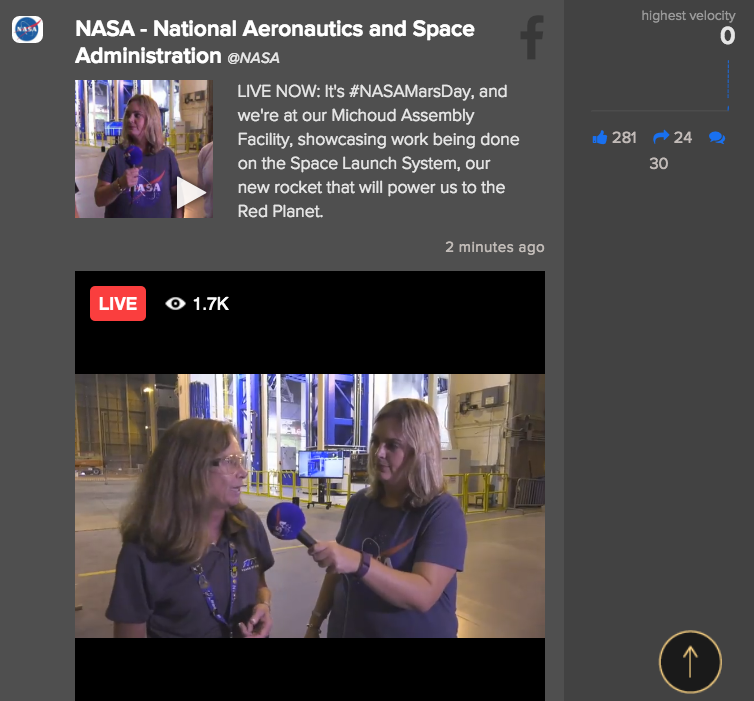
Once the livestream ends, the videos remain in Spike, with a red ‘Live’ tag to distinguish them from other videos.
How to find Facebook Live videos in Spike
To find Live videos while they’re still live, click the Facebook icon at the left of your screen.

After that, select ‘Live Video’ as a media type in the drop-down menu.
Now you’re looking at a feed of the biggest Facebook live videos, ranked by total engagements. However, to catch the videos that are still live, you can filter even further. On the right of you screen, choose the ‘Most Recent’ option from the ‘Sort By’ tab.
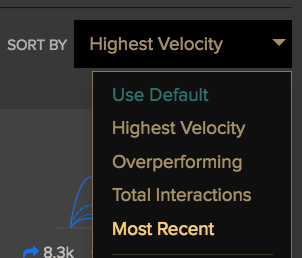
You’re now looking at the most recent live videos in Spike. Clicking the graph brings up the video itself, which you can watch in Spike.
Remember, if you think we’re missing a particular page, you can request to have it added in the ‘Add a Source’ section at the top left of your screen.